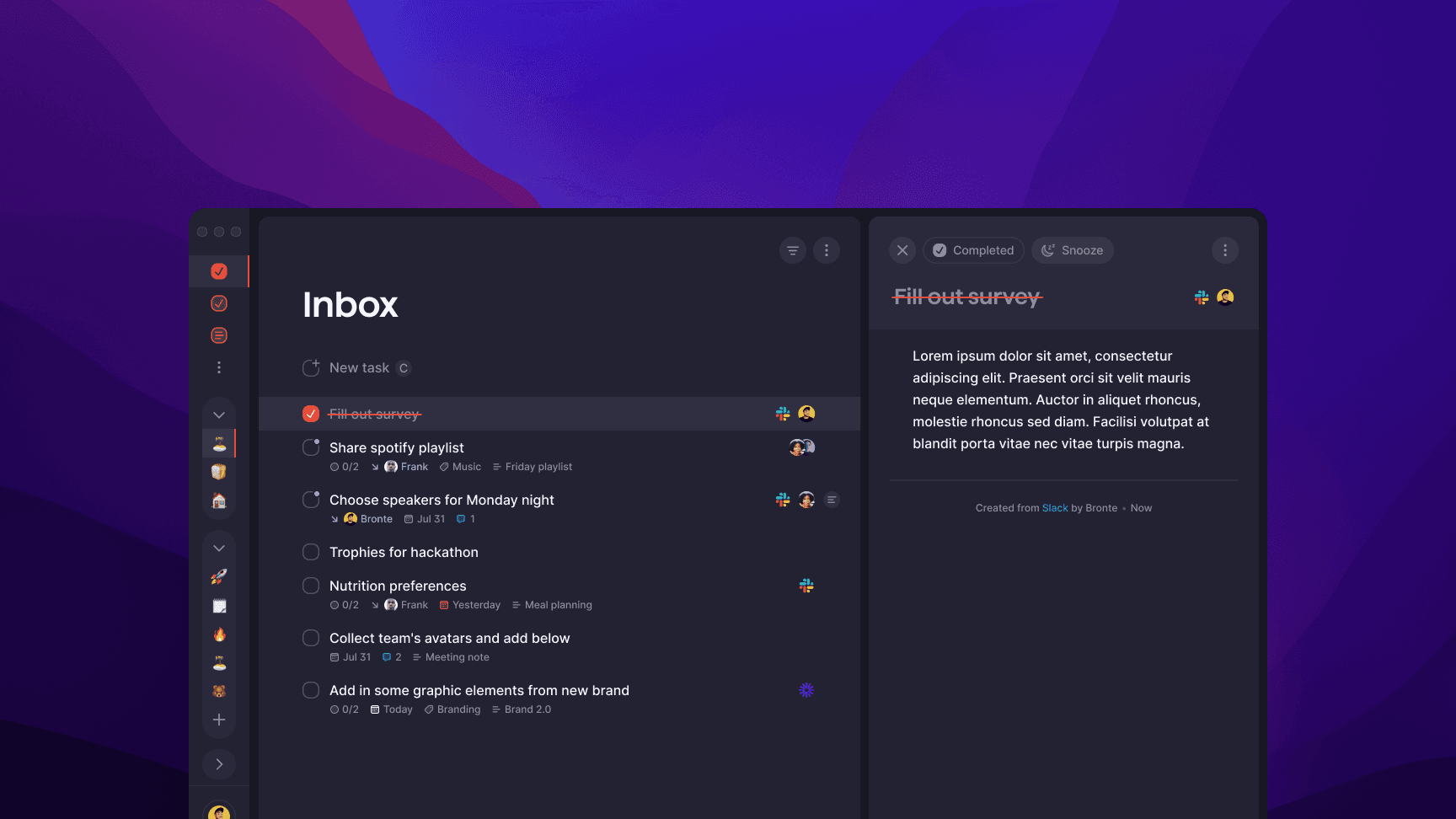
Task created via Slack
An integrations framework for a task management tool
Building one pattern to absorb 7 integrations that all behave differently
Role
Status
Slack integration shipped
Scope
Establishing patterns and mapping scenarios
Timeline
2 weeks
The problem
Designing for existing environments
Superlist's founding premise was that it wouldn't ask users to change their tools. It would meet them where they already worked. Turning it into a product reality meant designing a system that could absorb the logic of Figma, Slack, GitHub, Gmail, Google Calendar, Linear, and Productboard, and surface all of it consistently inside a single interface. That was the actual design problem.
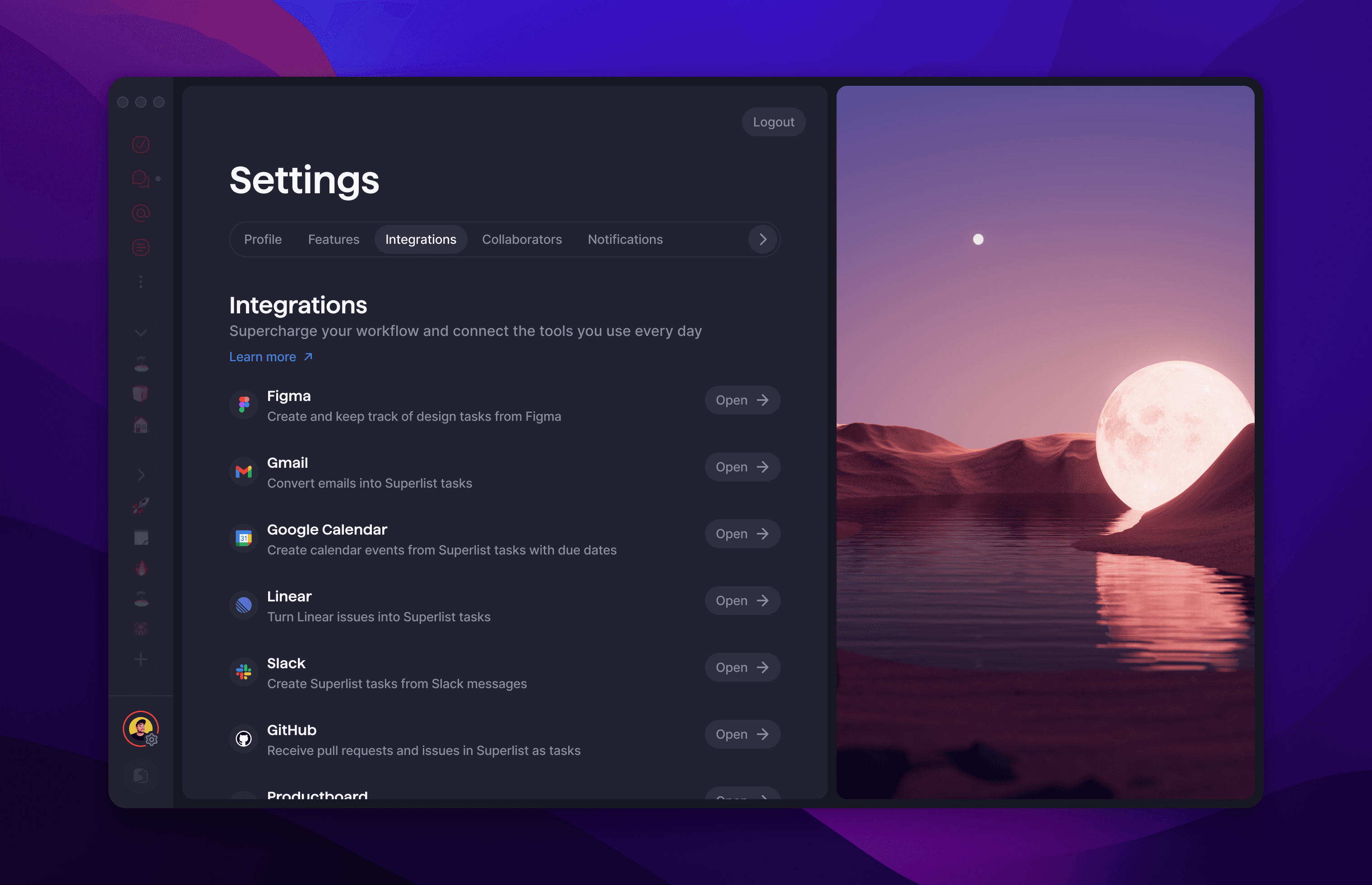
Integrations list
approach
How do you design multiple integrations that behave fundamentally differently, without ending up with indvidually bespoke screens?
Each integration had its own connection logic, its own trigger type, its own configuration needs. GitHub creates tasks when a pull request is opened or an issue is assigned. Gmail converts emails automatically based on sender rules. Productboard maps feature statuses to task lifecycle states. Slack creates tasks from individual messages. These are not the same problem with different logos on them.
The risk of designing them one at a time was structural drift: each integration solving its own problem in its own way, with no shared pattern holding them together. The settings layer would become inconsistent, the configuration logic would be unpredictable, and the cost of adding each new integration would compound.
The real design question was how to establish a framework that could absorb that variation without exposing the complexity to the user, and without requiring the team to start from scratch each time.
solution

Integrations list with card open

Integrations configuration cards

Integrations denoted and backlinks in Task card
Outcome
Integrations framework and Figma widget shipped
These were part of Superlist's core product and was intact at public launch in February 2024. Building a consistent system rather than seven individual screens meant each new integration had a pattern to inherit: connection logic, trigger configuration, task card attribution, activity log behaviour. The alternative would have been visual and structural drift as the integration surface grew. Instead the product presented a coherent integrations layer regardless of how different the underlying tools were.

Figma widget

Figma widget settings cover

Integrations Card Empty state

Slack scenarios mapping