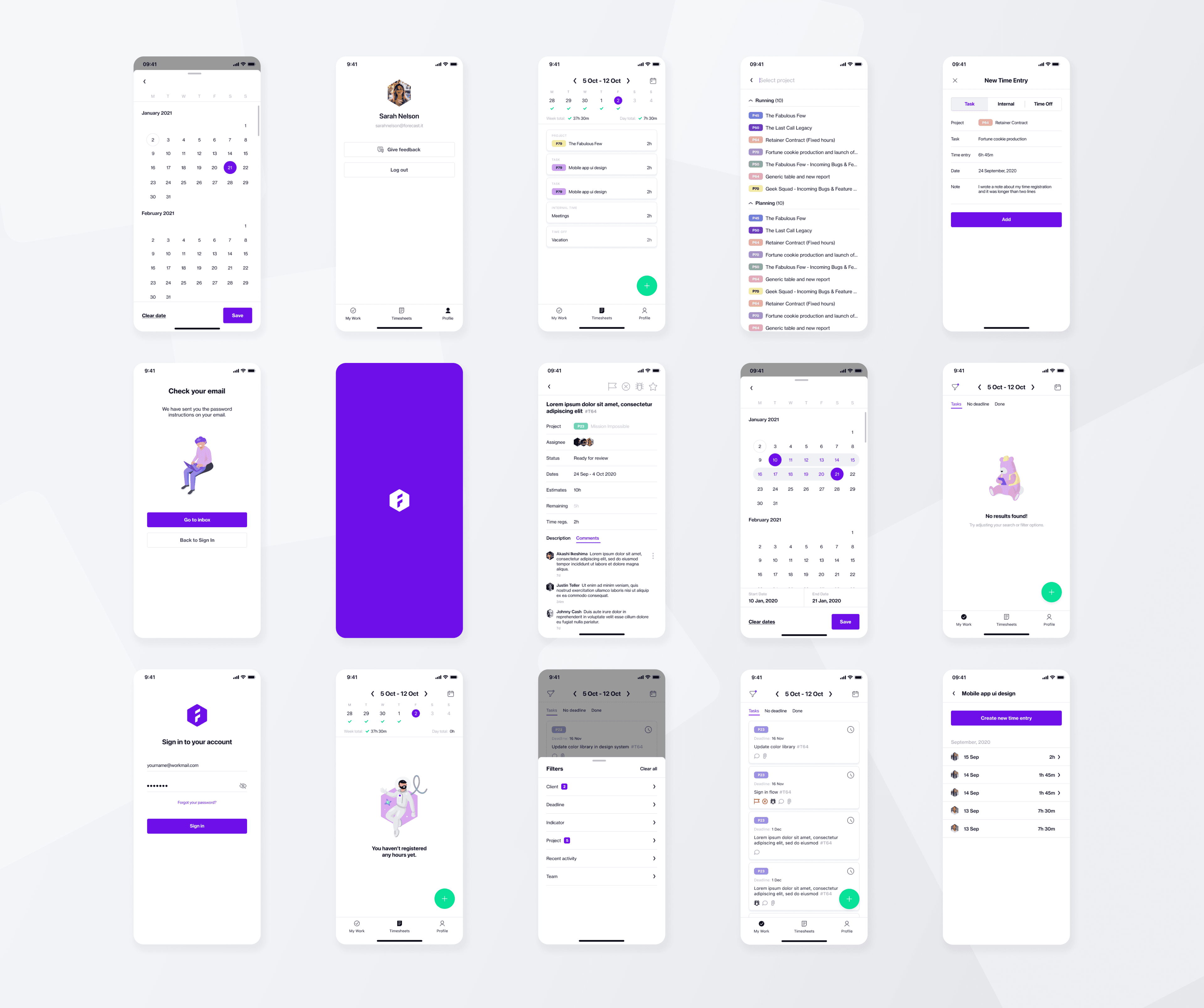
Mobile time tracking redesign for a project management tool
Scoping what mobile should do when it can't do everything
Role
Status
Mobile app shipped
Scope
Mobile app redesign
Timeline
9 weeks
The problem
A mobile app that had forgotten what it was for
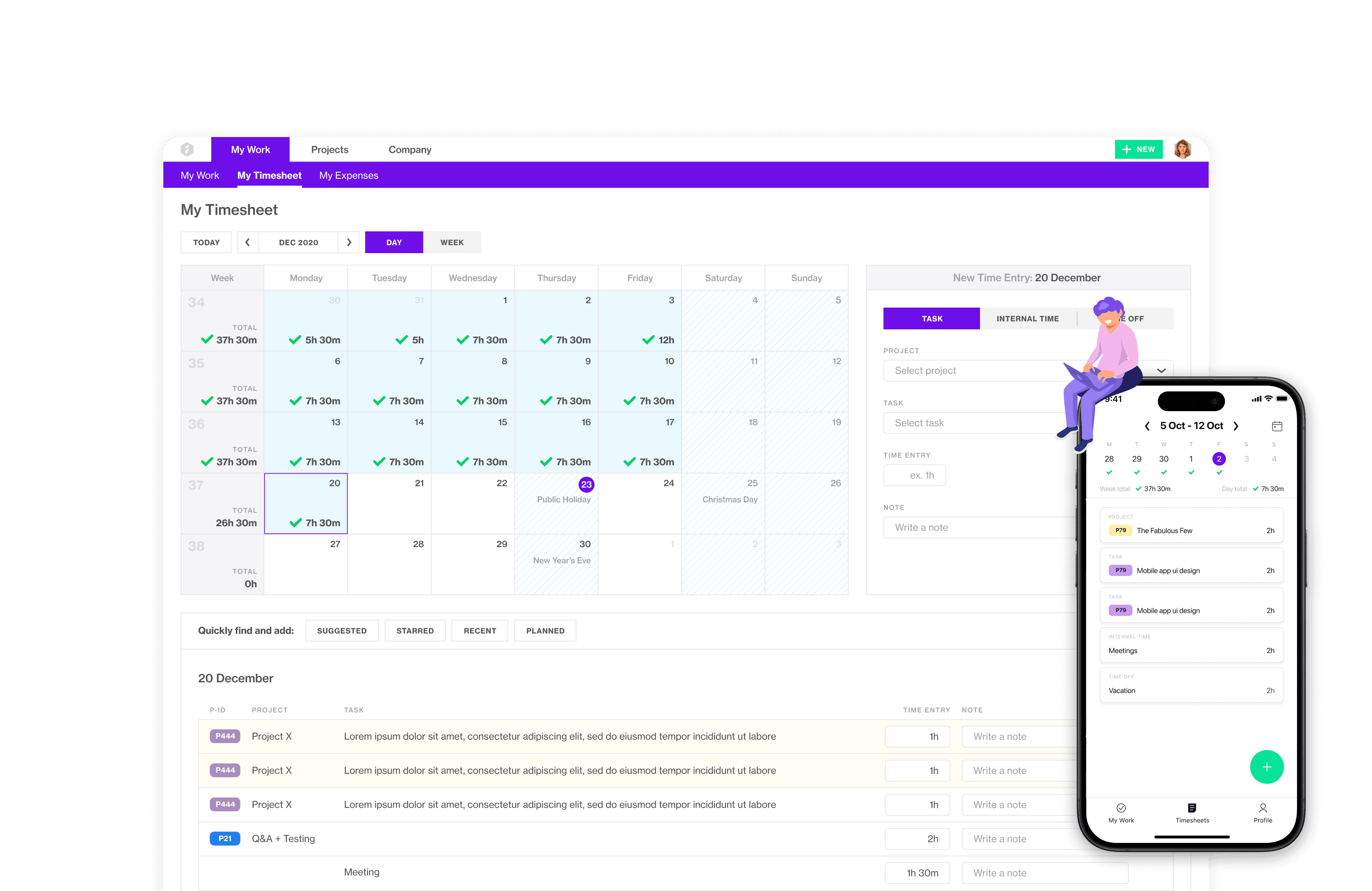
Forecast is a project management and resource planning platform for professional services teams. By 2020, the mobile app had grown into a trimmed-down version of the web, with the same feature categories, the same navigation logic, the same mental model.
It was visually outdated, felt misaligned with the updated web experience, and was used inconsistently. The brief was to bring mobile in line with web.
approach
Being intentional about the core use cases for mobile experience
The web app covers a lot: project tracking, resource allocation, capacity planning, timeline views. Mobile had tried to carry most of that, which made it cluttered and hard to navigate. But when we looked at how people actually used the mobile app, the pattern was clear: almost every session was for one thing. Log time against a task, quickly, from wherever they were.
Mobile wasn't a project management tool. It was a time logging tool that had accumulated project management features it didn't need.
Research revealed something more specific: users weren't thinking about time in individual days. They'd work longer on Monday, shorter on Wednesday, and balance it by Friday. The meaningful unit was the week. The interface had been built around the day.
solution
A narrower product, built around the week
The redesign didn't fix mobile by giving it more. It fixed mobile by defining what it was for and cutting everything else down to fit.

Timesheets Week Overview

Task Modal View
Outcome