Rebuilding Document Control for life science compliance
SimplerQMS is compliance software for life sciences companies who have to prove every document went through the right process, by the right person, at the right time. As the founding product designer, I brought structure and clarity to Document Control which became the underlying foundation for other features.
Role
Status
Shipped
Scope
Document Control redesign
Timeline
4 weeks
The problem
Bring structure to the layout
Get a document's workflow wrong in a regulated life sciences company and it's not a cosmetic bug, it's a compliance risk. Every document has to prove it went through the right process, by the right person, at the right time, and that proof is what regulators check in an audit.
When I joined as the founding product designer, Document Control had been built by a developer working without design input. It worked, but it hadn't been designed: workflow status, assignments, tags, and document properties all competed for attention with no clear hierarchy, and the page gave no sense of what mattered right now versus later. My brief was to bring structure to that layout.
But the deeper I looked, the more the layout issues turned out to be a symptom. Users didn't just struggle to parse the page, they didn't understand what state a document was in, what they could do next, or why certain actions were blocked.

Document Control before & after
approach
Creating two distinct mental models
To understand what was actually blocking people, I ran mapping sessions with the CTO, PM, and CEO, tracing how a document actually moves from creation to release.
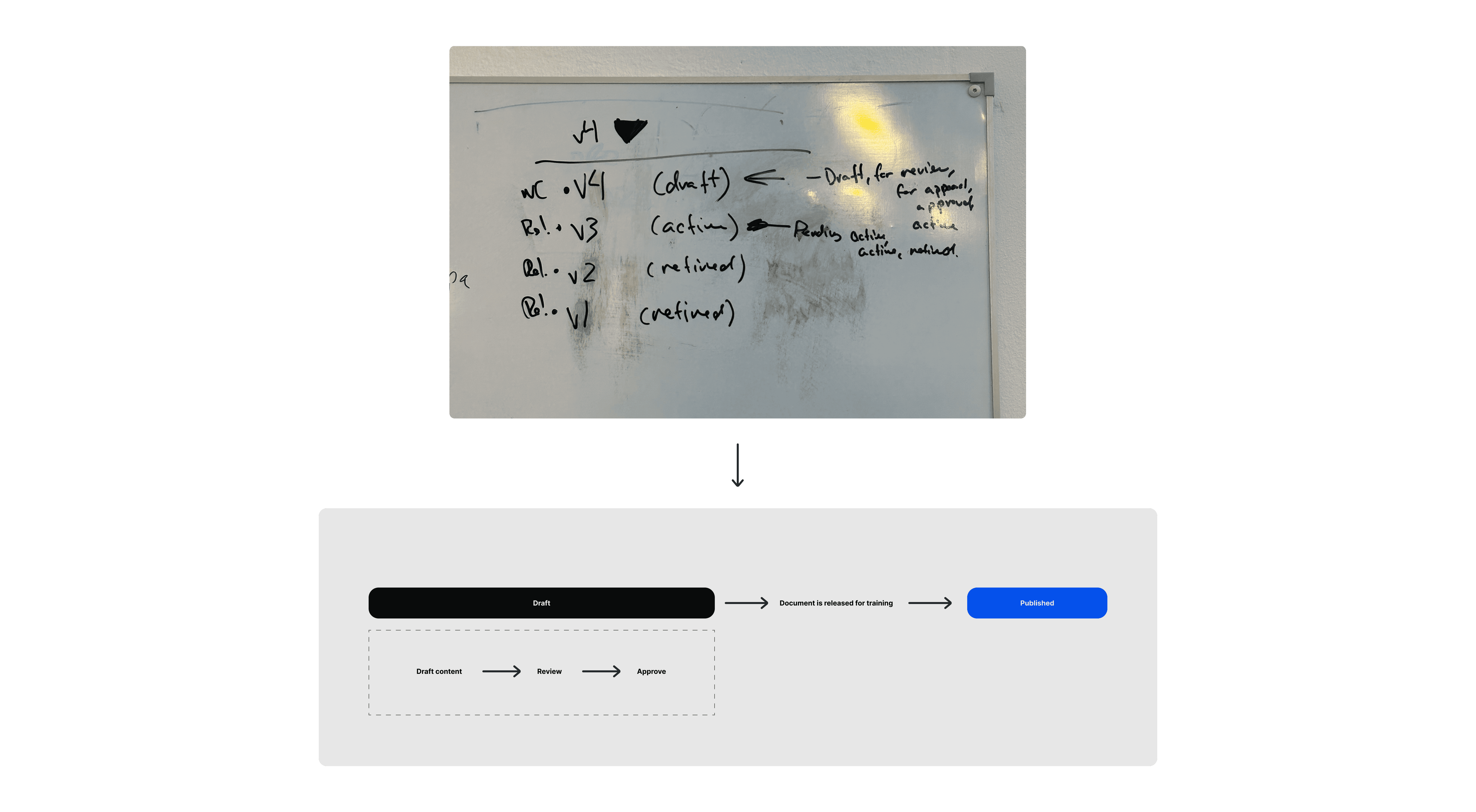
The system treated a document as one continuous object throughout its life. But a document that's in progress and a finished, approved document aren't the same thing. A draft moves through several stages before being released, with different people responsible at each one.
Once released, a document is locked and becomes the effective, authoritative version. Nothing about it can be edited or deleted. If it needs to change, a new draft is created and the process starts again. That means there's always a full trace of what happened, when and by whom.
Modelling both states as one object was the actual source of the confusion. No amount of relabeling would have fixed that. It needed two distinct mental models.
solution
Being intentional about the layout choices and creating a visual pattern that could work across two high level states

Properties panel

Edit modal: In the compliance space, every change has to be traceable. So each save writes a timestamped entry to the document's audit trail of who changed what, and when.
Workflow status indicators

Fixed Action Bar

Draft vs. Published
Outcome
A clear visual hierarchy placed & a new foundation created
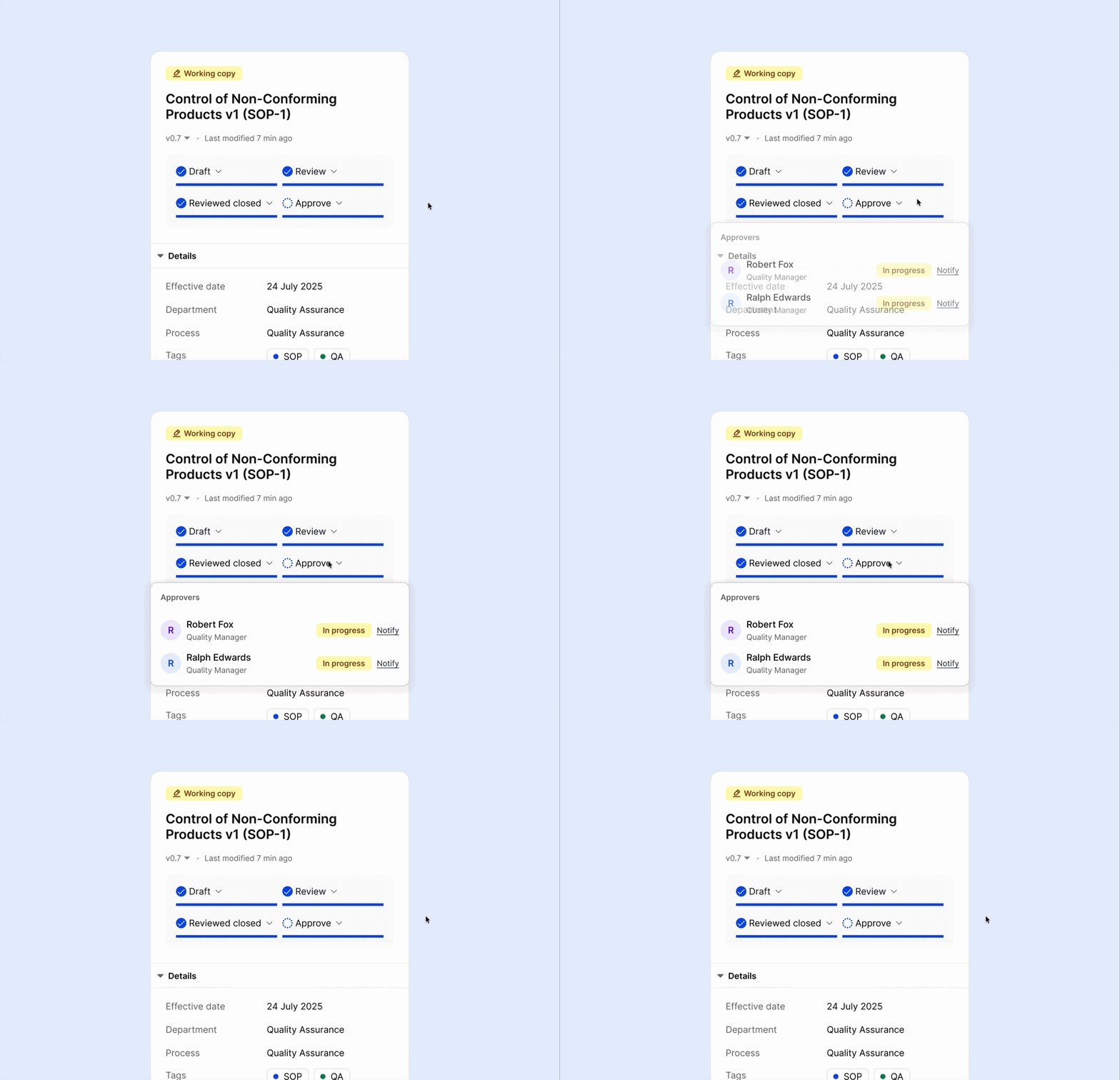
In testing, QA managers said they could tell at a glance how far a document had progressed, and more importantly, who they would need to contact if it was blocked. For example if a document was stuck in review, they knew exactly which reviewer to chase instead of digging through the document to find out.
The bigger win was structural. Naming the draft/effective distinction gave engineering a shared model instead of a UI request, and it became the template for Change Control, a related but more complex workflow, built on the same foundation without starting from scratch.

Document access modal

Design system colors

Checked out banner